Top 5 Sales Tools That Work in 2026 | Real Results, No Hype | PowerDialer.ai
Explore the best sales tools of 2026 that boost outreach, automate tasks, and increase revenue. Real picks with real results, no fluff.
Let’s face it, selling is tougher than ever. People don’t answer cold calls. Most emails don’t get replies. Meanwhile, your CRM is a nightmare of manual updates.
This blog is for anyone in sales who wants to work smarter, not harder. The right tools can save you hours each week, help you connect with more leads, and let you focus on the conversations that actually close deals.
Here’s an optimized guide to the top 5 sales tools today, how they fit together, and exactly why they matter for your pipeline and sanity.
What Are Sales Tools and Why You Need Them
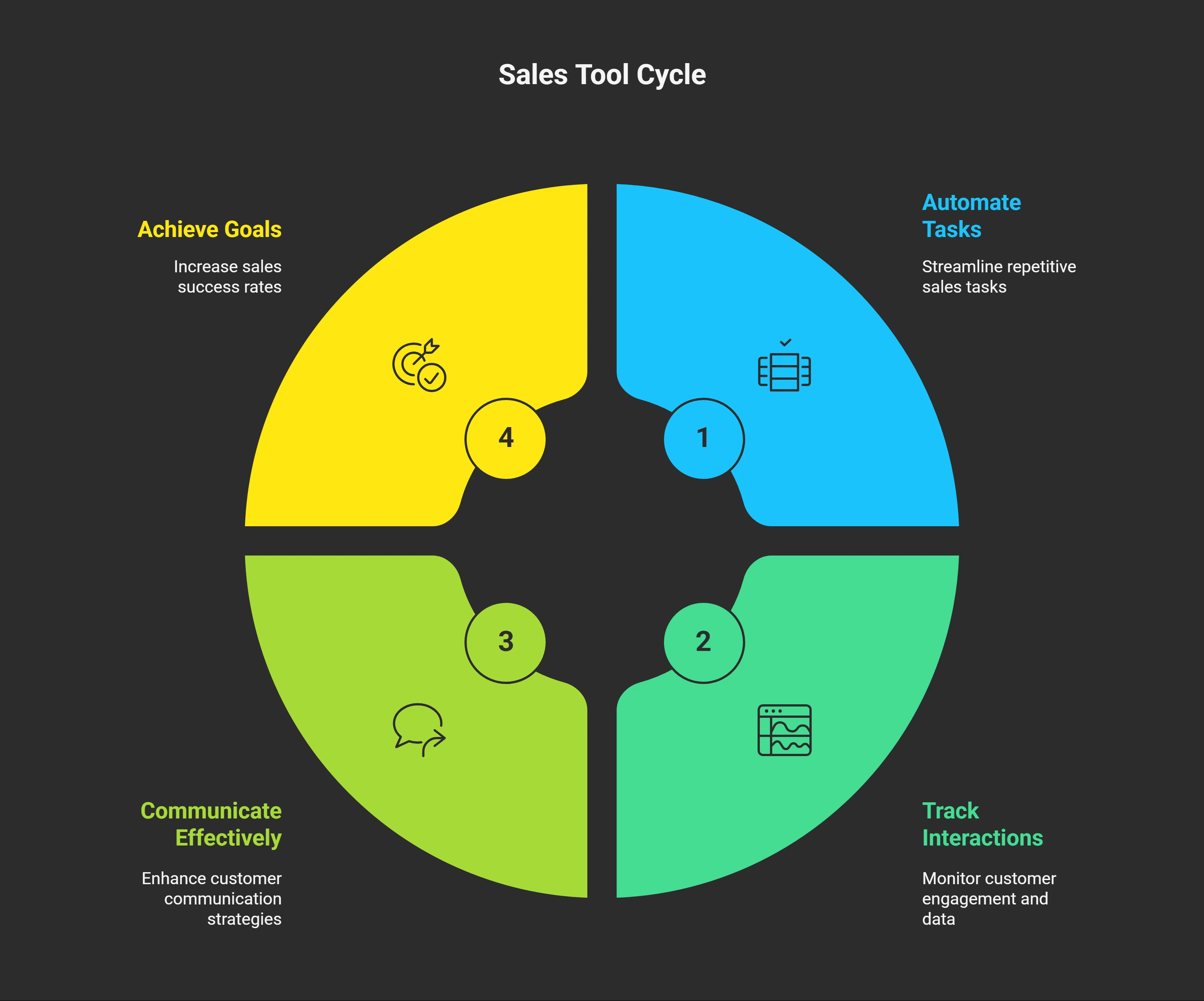
Think of the best sales tools like a high-powered assistant… one that never sleeps.
Here’s what a typical sales rep wastes their time on:
- Repetitive data entry in Excel or CRMs
- Copy‑pasting the same emails dozens of times
- Scheduling meetings via email back-and-forth
- Dialing dozens of numbers one by one
- Logging activity instead of selling
These tasks take up to 64% of a rep’s day, according to Salesforce, leaving only around 36% of time for actual selling. That’s madness.
Modern sales tools:
- Automate outreach (calls, emails, LinkedIn)
- Prioritize leads for you
- Track every touchpoint
- Build pipeline faster
- Free you to sell (not admin)
Companies using these tools typically see 20–30% more deals closed within a few months. Yes, really. Here’s what most people don’t understand: sales tools aren’t about replacing human connection.
Top 5 Sales Tools for 2025
| Tool Name | Best For | Key Features | Pricing (Starting) | Free Plan? |
|---|---|---|---|---|
| PowerDialer.ai | Phone-based sales teams | AI-powered dialing, lead scoring, CRM integrations, local numbers, call tracking | $49/user/month | No |
| HubSpot Sales Hub | Startups and SMBs | Email sequences, meeting scheduling, deal pipeline, email tracking | Free or $45/user/month | Yes |
| Outreach | Large, enterprise sales teams | Multi-channel campaigns, A/B testing, coaching, territory management | ~$100/user/month | No |
| Reply.io | Email + LinkedIn outreach | Multichannel automation, personalization, A/B testing, deliverability tools | $60/user/month | No |
| Apollo | Prospecting + engagement | Prospect database, Chrome extension, sequences, lead scoring | Free or $39/user/month | Yes |
Look, I’ve tested dozens of these tools over the years. Some are amazing. Others are total garbage that waste your time and money. Here are the ones that actually work.
1. HubSpot Sales Hub - All-in-One
Who it’s best for: Startups, small teams, solo reps Website: hubspot.com/products/sales
Why this matters:
HubSpot offers strong email tracking, meeting scheduling, and pipeline tools for free. Many teams start here and stay for years.
Top features:
- Built-in CRM for managing contacts
- Email templates + tracking
- Meeting scheduling links with calendar sync
- Pipeline visualization and deal stages
Main benefit: It’s easy to get started, keeps you organized, and has a great free tier until you’re ready to upgrade.
Pricing: Free, with paid plans starting around $45/month
2. Outreach - For Big Companies
Who it’s best for: Mid-size to enterprise sales organizations Website: outreach.io
Why this matters:
Outreach is a heavy-duty sales engagement platform designed for teams that manage multiple touchpoints per lead and care about deep analytics.
Top features:
- Multi-channel sequences (email, voice, social, SMS)
- A/B testing for messages and timing
- AI-recommended send times and cadence optimizations
- Coaching tools to improve team scripts
- Native Salesforce integration
Power users: Outreach is the choice for corporate sales teams hitting high quotas with data-backed strategies.
Pricing: Typically starts around $100+/user/month (with custom setup)
3. Power Dialer.ai - Best Overall
Power Dialer.ai is the top pick for teams that want results. It’s great at smart auto-dialing and managing leads.
Who it’s best for: SDRs and inside sales teams making a lot of outbound calls Website: powerdialer.ai
Why this matters:
If you’re dialing manually, you’re wasting time. Power Dialer.ai automates the dialing process, uses local caller IDs to boost answer rates, and picks the hottest leads based on past behavior.
Top features:
- Auto‑dial multiple numbers at once
- AI rankings for who’s most likely to respond
- Local area code dialing for higher pickup rates
- One-click voicemail drops and tracking
- Integrates with major CRMs (Salesforce, HubSpot, Pipedrive)
Hands‑on proof:One client went from a 5% connect rate to22% within a month.
Pricing: Free tier available, or $99/month for basic, $199/month for unlimited calling
4. Reply.io - Multi-Channel Automation
Who it’s best for: Teams combining email, LinkedIn, SMS, and calls Website: reply.io
Why this matters:
Reply.io lets you manage omnichannel sequences in one dashboard, without juggling 3+ tools. Great if you want to engage leads across multiple touchpoints.
Top features:
- Send emails, LinkedIn InMails, SMS, and voice drops from one platform
- A/B test subject lines and messages
- Built-in deliverability tools and spam compliance
- CRM integrations and advanced analytics
Fast impact: Teams often see response rates double simply by adding LinkedIn touches.
Pricing: Starts around $60/month/user
5. Apollo - Finding and Connecting
Website: apollo.io
Why this matters:
Apollo offers a massive contact database coupled with built‑in outreach tools. It’s ideal for teams that need to build their lead lists and send smart cold emails fast. Apollo is perfect if you’re starting from scratch and need both prospect data and engagement tools. The database is huge and surprisingly accurate. The Chrome extension makes prospecting on LinkedIn super easy.
Top features:
- Access to over 275 million verified contacts
- Chrome extension for LinkedIn prospecting
- Built-in email sequence editor + lead scoring
- Trigger events (like new funding or hiring)
- CRM sync and reporting dashboards
Real benefit: Double duty tool, prospecting + outreach in one interface.
Pricing: Free plan available; paid starts at ~$39/month/user
Best for: Teams needing prospect data and engagement tools
Quick Comparison of the Top 5 Sales Tools
| Tool | Best For | Free Tier | Starts At | Key Advantage |
|---|---|---|---|---|
| Power Dialer.ai | Phone-heavy SDR teams | ✅ | $99/month | Fast calling + local presence |
| HubSpot Sales Hub | SMBs & new teams | ✅ | $45/month | All-in-one automation + CRM |
| Outreach.io | Enterprise multi-channel | ❌ | $100+/month | Deep analytics + automation workflows |
| Apollo.io | Prospecting + email reach | ✅ | $39/month | Huge database + automated email tools |
| Reply.io | Multi-channel engagement | Limited | $60/month | Email + LinkedIn + SMS coordination |
What to Look for in Sales Tools
When shopping for sales tools, certain features matter most.
Multi-Channel Automation
You want to communicate across email, phone, social media, and text from one place.
Modern buyers are everywhere. They check email in the morning, scroll LinkedIn during lunch, and answer texts at night. If you’re only using one channel, you’re missing opportunities.
The best tools let you create sequences that mix all these channels intelligently. Email on Monday, LinkedIn connection on Wednesday, phone call on Friday. The tool handles the timing and keeps track of responses across all channels.
Good Analytics
Analytics show you how your outreach performs. Look for tools that track:
- Response rates
- Conversion rates
- Email open rates
- Call connection rates
Data without action is just noise. The best tools don’t just show you numbers - they tell you what to do about them.
I want to see which email subject lines get opened most. Which call scripts get the best response. Which times of day generate the most connections.
Works with Your Existing Tools
Integration with your current CRM is crucial. The best tools work perfectly with Salesforce, HubSpot, and Pipedrive.
Nothing kills productivity faster than having to enter the same information in multiple systems. I’ve seen reps spend an hour a day just copying data between tools. That’s insane.
The best integrations are invisible. You make a call in your sales tool, and the activity automatically appears in your CRM with perfect accuracy.
How to Choose the Right Tool for Your Team
- Ask your reps: What takes up the most time—calls, emails, reporting?
- Pinpoint the bottleneck: If calls stall, try Power Dialer. Emails lagging? Try Apollo or Reply.
- Test a free trial: Invite your sales team to try a small pilot and gather feedback.
- Measure the lift: Track connect rate, reply rate, meetings booked, and closing rate before and after.
- Make adoption easy: Map your current workflow, train your team with simple steps, and ramp in stages.
Real Wins You Can Expect
- One team cut dialing time by 50% and doubled their connect rate
- Another company went from 2% email reply to 5%—enough to power weekly pipeline
- Large sales org increased booked demos by 30% after switching to Outreach
The difference isn’t just software, it’s about optimizing workflows and removing busy work.
Key Metrics That Actually Matter in Sales Outreach
1. Response Rates
Why it matters: This shows how engaged your prospects are. If your emails or calls are being ignored, your strategy needs a rethink.
- Great setups can boost response rates by 15–25% compared to manual outreach.
- It’s a clear sign your messaging and timing are working.
2. Conversion Rates Across the Funnel
Why it matters: This tells you how well your outreach turns into real sales conversations—and ultimately, revenue.
- Track each stage: opens → replies → booked meetings → closed deals.
- Spot drop-offs and fix friction points fast.
3. Sales Velocity
Why it matters: Speed is everything in outbound. Sales velocity measures how quickly deals move through your pipeline.
- Faster movement means more wins in less time.
- Use this to diagnose bottlenecks or slow follow-ups.
4. Leading Indicators (Most People Miss These)
Too many teams obsess over closed deals but ignore the early signs of success. Start tracking these leading indicators:
- Email open rates – Is your subject line doing its job?
- Call connection rates – Are reps getting live conversations?
- Meeting booking rates – Are prospects actually committing time?
These early signals help you course-correct before deals stall out.
5. Track Metrics at 3 Levels (This Is the Key Framework)
To get a complete picture of what’s working (and what isn’t), measure across three levels:
A. Activity Metrics – How much outreach is happening?
- Calls made
- Emails sent
- LinkedIn touches
B. Engagement Metrics – Are prospects paying attention?
- Response rates
- Email opens
- Call connects
- Meetings booked
C. Revenue Metrics – Are you actually closing business?
- Demos completed
- Opportunities created
- Deals won
- Average deal size
Don’t Get Fooled by Vanity Metrics
Making 100 calls a day sounds impressive, but if no one picks up or books a meeting, it’s wasted effort. Always ask: “Is this activity moving us closer to revenue?”
Pro Tips for Getting the Most from Your Tools
- Time-block outreach tasks: calls in one block, emails in another
- Customize sequences: send the right message at the right time
- Use local phone numbers: increases pickup rates by 20–40%
- Enable email warm-up and spam-check tools: Improves deliverability
- Evaluate every week: refine what’s working, disable what’s not
Final Thoughts
Your market isn’t getting easier, your approach needs to. With good sales tools:
- You talk to more leads faster
- You reduce admin and stress
- You scale outreach without losing quality
Call-heavy team? Start with Power Dialer.ai Needs lead data + outreach? Try Apollo Just getting started with no budget? HubSpot’s free version is a solid choice
Pick your biggest sales bottleneck today, plug in a tool, and let it do the heavy lifting.
At the end of the day, sales tech should help you close more deals, not just check boxes. Focus on revenue. Start smart. Move fast. Try Power Dialer.ai today and watch your outreach take off.
FAQs
1. Is there a useful free sales tool? Yes, HubSpot Sales Hub’s free plan offers email tracking, calls, templates, and basic pipeline management.
2. How do I decide between these tools? Start with what needs the most improvement (calls or emails). Test the tool with a small team before buying.
3. Can I combine tools? Absolutely. Many teams use Apollo for lead data and Power Dialer for calling. Make sure they integrate.
4. Will these tools replace my CRM? No. Tools like Power Dialer and Reply sync with CRMs; you should keep using Salesforce, HubSpot CRM, Pipedrive, etc.
5. How fast will I see results? Most teams notice major improvements in response rates and meetings booked within the first month.
Try it on your own list
Per-seat pricing, published, with no seat minimum. See the pricing.