Why Every Sales Rep Should Ditch Manual Dialing in 2026 | PowerDialer.ai
Still dialing numbers by hand? Discover how power dialers help sales reps triple calls, boost conversions, and close more deals, without burning out.
Let’s be honest, outbound sales can be exhausting, especially at a startup.
You’re juggling limited team members, chasing leads, and manually dialing numbers all day. It’s slow, repetitive, and often gets in the way of real conversations that actually move deals forward.
But there’s a better way to scale: power dialers.
This guide will explain what power dialers are, how they work, and whether they make sense for your startup. We’ll also compare a few top tools and share real stories from startups like yours.Why Outbound Sales Is So Hard for Startups
When you’re starting out, your team probably deals with things like:
- Wasting hours manually dialing leads
- Voicemails all day long
- Forgetting to follow up because there’s just too much going on
- Little to no data to figure out what’s actually working
Sound familiar?
“Before using a dialer, I was making about 40 calls a day,” said Lena, an SDR at a Series A startup. “Now I’m hitting over 150and it doesn’t feel like a grind anymore.”
What Is a Power Dialer?
A power dialer is a tool that automatically calls leads for you, one after the other, so you don’t have to waste time dialing numbers, waiting for the phone to ring, or leaving the same voicemail 20 times.
It connects with your CRM (like HubSpot or Salesforce), helps you stay organized, and makes calling way faster.
What Good Power Dialers Usually Do:
Callleads automatically from your list- Drop pre-recorded voicemails with one click
- Show a local phone number so people are more likely to pick up
- Save your call notes directly into your CRM
- Track results so you can see what’s working
- Make sure you follow all the calling laws (like Do Not Call lists)
Real Example: How a Small Startup Booked 3× More Meetings
A small SaaS startup with just 3 sales reps started using PowerDialer.ai to improve outreach.
Here’s what happened:
- Calls per rep went from 50 to 160 a day
- They started booking 3× more meetings in just 30 days
- The team saved nearly 10 hours a week per person by not dialing manually
They also used features like:
- Smart caller ID (shows a number with local area code)
- Pre-recorded voicemails
- Auto-logging of calls into HubSpot
“I didn’t realize how much time we were wasting before,” said their Head of Sales. “Now we’re actually having conversations, not just leaving voicemails.”
The Tangible Benefits of Using a Power Dialer
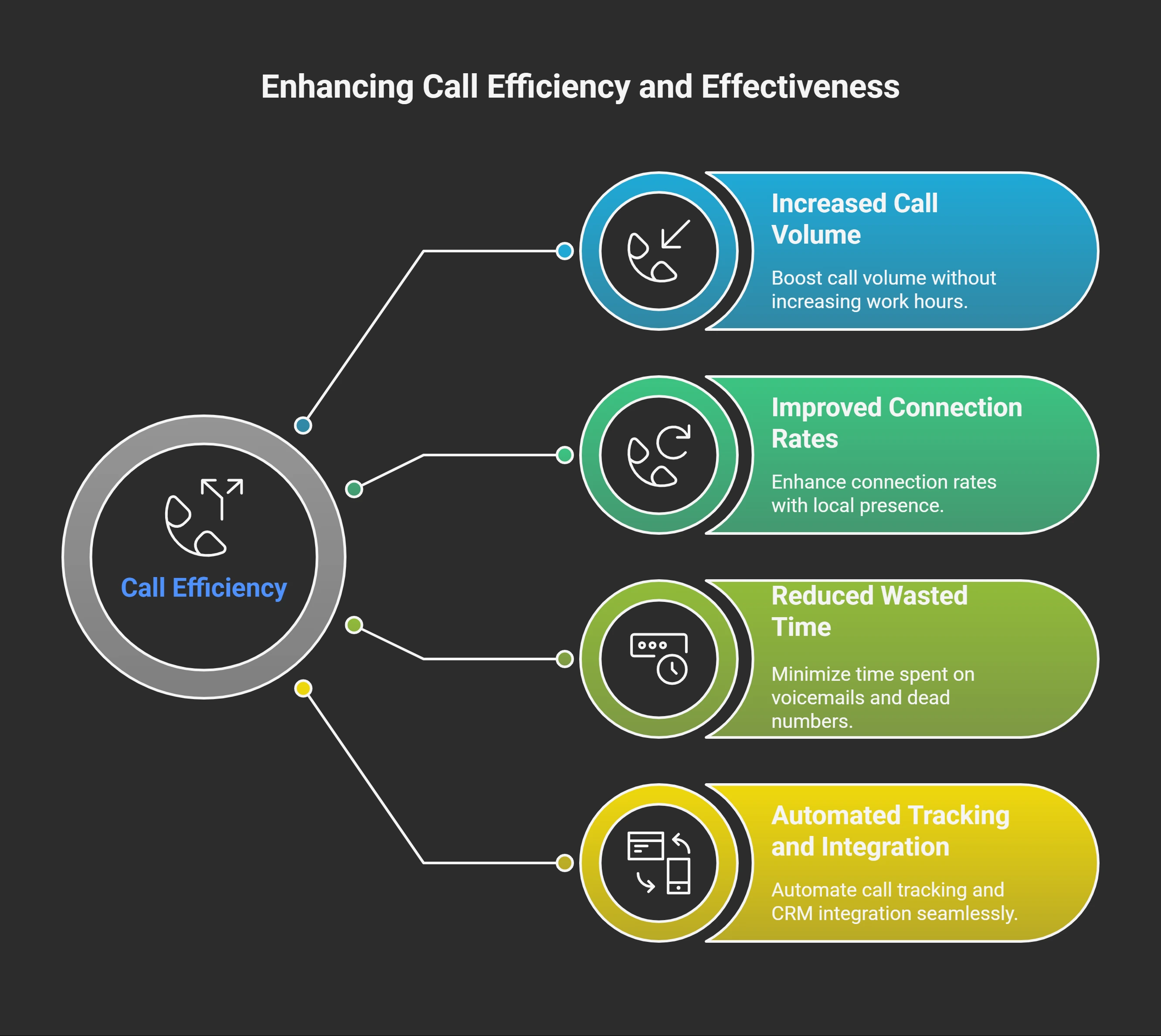
1. Triple the Call Volume Without Adding Hours
This isn’t marketing fluff - it’s math. Manual dialing takes time. Looking up numbers, typing them in, waiting for connections, dealing with busy signals. All that adds up.
My rep Mike went from 45 calls per day to 135 calls per day. Same eight-hour shift. Same effort level. The only difference was the power dialer handling all the mechanical stuff. Of course, once you connect with someone, your pitch matters. If you’re looking for inspiration, here’s our proven cold calling script for sales reps that converts.”
2. Improved Connection Rates Through Local Presence
Here’s something most people don’t know about power dialers - they can make it look like you’re calling from a local number. So if you’re calling someone in Chicago, the caller ID shows a Chicago area code even if you’re sitting in Miami.
People are way more likely to answer a local number. We saw our answer rates jump from about 15% to almost 30% just from this feature alone.
3. Eliminate Time Wasted on Voicemails and Dead Numbers
Ever call a number and get that annoying “This number is no longer in service” recording? Or sit through 12 rings before giving up? Power dialers filter all that out automatically.
The system only connects you when a real person picks up. No more listening to busy signals or staring at your phone waiting for someone to answer. Pairing power dialers with a strong lead list is key. Learn how to generate B2B leads fast without relying solely on paid data providers.
4. Automatic Call Tracking and CRM Integration
With manual dialing, keeping track of who you called and when is a nightmare. Power dialers log everything automatically. Every call, every outcome, every follow-up needed.
This was huge for my team’s organization. No more lost leads or forgotten follow-ups. One of the biggest wins for our team was the built-in automatic call tracking and CRM integration, which eliminated manual logging and improved follow-up consistency.
Addressing the Biggest Concern:
This was my biggest concern too. Nobody wants to sound like one of those annoying spam callers.
Here’s the thing - power dialers don’t change how you sound or what you say. They just handle the dialing. Once you’re connected to a prospect, it’s a completely normal phone conversation. The person on the other end has no idea you’re using any special technology.
I’ve been using power dialers for three years now, and not once has someone asked if I was using an automated system.
What Does It Cost?
I’ll be straight with you - power dialers aren’t free. Most good ones cost between $50-100 per user per month.
But think about it this way: if you’re paying a sales rep $4,000 a month and they can double their productivity, what’s that worth? The ROI is obvious.
Plus, when you factor in the time saved and deals closed, most teams make back the cost within the first month.
What About Legal Stuff? (Don’t Skip This!)
If you’re calling people in the U.S. or overseas, there are rules:
- Don’t call people on Do Not Call lists (TCPA)
- If you’re in Europe, make sure you follow GDPR
- Use tools that support call authentication (STIR/SHAKEN) to avoid getting flagged as spam
PowerDialer.ai and most major tools help with this, but always double-check based on where your customers are.
What Sales Experts Are Saying
“Dialers don’t just save time, they make your reps better by giving them more chances to have real conversations.” Michael Liu, RevOps Consultant
“But don’t just go for volume. Bad targeting + dialers = faster failure.” Riya Chopra, Startup Sales Coach
Top Power Dialer Tools for Startups (2025)
| Tool | What It’s Good For | Standout Feature |
|---|---|---|
| PowerDialer.ai | Fast-growing startups | Easy CRM sync, auto voicemails |
| Orum | AI-powered calling | Smart dial queueing |
| Salesfinity | High-volume outreach | Lead scoring built-in |
| CloudTalk | International calling | Affordable for global teams |
| PhoneBurner | Small sales teams | Super simple setup |
| JustCall | SMS + calling in one | Best for lean startups |
| Close CRM | All-in-one CRM + dialer | Built-in CRM + calling |
| Kixie | Automated follow-ups | Call scoring + AI help |
Is PowerDialer.ai Right for You?
Here’s a quick cheat sheet:
Choose PowerDialer.ai if:
- You do cold outbound daily
- You use tools like HubSpot, Pipedrive, or Salesforce
- You want to scale outreach without hiring more reps
Maybe skip it if:
- You only do inbound sales
- You already use a CRM with built-in calling (like Close)
- You don’t make many phone calls
TL;DR – What You Should Remember
- Outbound sales is tough, but power dialers make it way easier
- You can save hours every weekand make3x more calls
- Pick the tool that fits your size, needs, and budget
- Always stay compliant with calling laws
- Don’t rely on tools alone, great messaging still wins
Getting Started with Power Dialers
Don’t overthink this. Here’s what I did:
-
Started with a trial - Most power dialer companies offer free trials. Test it out before committing.
-
Cleaned up our contact lists - Garbage in, garbage out. Make sure your prospect data is good.
-
Trained the team gradually - I didn’t switch everyone at once. Started with two reps, let them get comfortable, then rolled it out to the whole team.
-
Monitored the results - Track your key metrics before and after. You’ll be surprised at the improvement.
Final Thoughts: Why This Change Mattered
Since switching to power dialers, my team went from struggling to consistently hitting 115% of quota. It’s not magic, but it eliminates the time-wasting stuff and lets reps focus on what they do best: closing deals.
Still dialing manually in 2025? You’re already behind.
Give power dialers a shot, your quota will thank you. Start your free trial with PowerDialer.ai.
FAQs About Power Dialers
Q1: Do I need any special hardware to use a power dialer? Nope. Most are cloud-based and run on your existing laptop and headset. Some even integrate directly with your CRM.
Q2: Will it spam my contacts? Not at all. It’s still one call at a time, just faster. You control the pace and call the script. It’s not like those spammy “robo-blast” tools.
Q3: Can I leave voicemails automatically? Yes! Many power dialers let you drop pre-recorded voicemails with one click, saving you from repeating yourself 30 times a day.
Q4: Is it legal to use power dialers in sales? Yes, as long as you’re following local cold calling laws (like time-of-day restrictions) and respecting Do Not Call lists.
Q5: What’s the best power dialer to try? I recommend starting with PowerDialer.ai, it’s simple, fast, and built specifically for outbound sales reps. Their trial is free, and onboarding is easy.
Try it on your own list
Per-seat pricing, published, with no seat minimum. See the pricing.